Overview
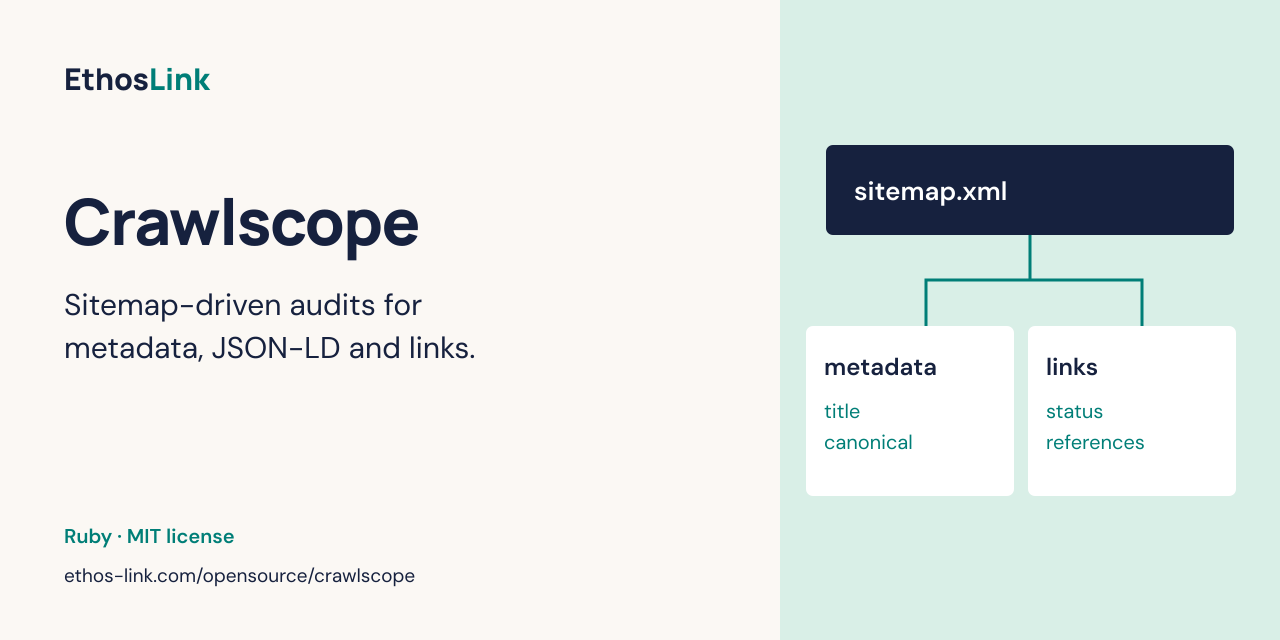
Audit sitemap URLs for metadata, JSON-LD, indexability and internal links. It is for developers checking published sites from Ruby, a command line or Rails tasks. Findings reflect the pages fetched during the crawl. JSON-LD validation does not establish Google rich-result eligibility or search ranking.
Installation
Ruby 4.0 or newer. Rails 8 is optional and must be installed by the host application. Browser rendering additionally needs Ferrum and a compatible Chrome or Chromium installation.
gem install crawlscope
For a Bundler application, add gem "crawlscope" to its Gemfile and run bundle install.
Use require: false for Rails applications to keep the generation or crawl stack out of ordinary web and job boot.
Quick start
gem install crawlscope
crawlscope validate --url https://example.com
Replace https://example.com with a site you intend to audit. Crawlscope reads /sitemap.xml, fetches its pages and prints grouped findings. Errors return a failing status; warnings and notices do not fail result.ok?.
Usage
CLI Usage
Validate a site from its default sitemap:
crawlscope validate --url https://example.com
Validate only specific rules:
crawlscope validate --url https://example.com --rules metadata,links
Validate structured data on one or more URLs:
crawlscope ldjson --url https://example.com/article
crawlscope ldjson --url https://example.com/a --url https://example.com/b --summary
To use a non-default sitemap, pass --sitemap:
crawlscope validate --url https://example.com --sitemap https://example.com/sitemap.xml
Child sitemap indexes are supported automatically.
Set CRAWLSCOPE_PROFILE_TOKEN through the process environment or your secret
manager when the site protects diagnostic timing with X-Profile-Token.
Crawlscope intentionally has no --profile-token flag because command arguments
can be exposed through shell history and process listings.
Validation output is grouped for terminal scanning:
Crawlscope validation
Base URL: https://example.com
Sitemap: https://example.com/sitemap.xml
URLs: 24
Pages: 24
Status: WARNINGS
Issues: 3 total (3 warnings)

Links: Too few incoming links without nofollow (2 warnings)
  - /pricing  incoming links without nofollow: 1; minimum 2
      linked from: /
  - /features  incoming links without nofollow: 1; minimum 2
      linked from: /

Metadata: Missing title (1 warning)
  - /draft  missing <title>
Reports include all issues and related URLs. Errors appear before warnings and
notices. Each related URL has a label, such as linked from, links to, or
page. JSON-LD errors appear below the page URL with the type, field, and
constraint. Same-origin URLs use paths; other URLs retain their scheme and host.
For automation in Ruby, use result.issues and each issue’s code, severity,
url, and details rather than matching the report text.
Metadata length limits appear in the group heading; each row shows the measured
length. The default maximums are 160 characters for a meta description and 110
characters for an Article JSON-LD headline. These are separate Crawlscope
validation limits for separate fields. Server timing lists pages only when the
reported duration exceeds 50 ms; aggregate statistics include all responses.
Ruby Usage
require "crawlscope"

crawl = Crawlscope::Crawl.new(
  base_url: "https://example.com",
  sitemap_path: "https://example.com/sitemap.xml",
  rules: Crawlscope::RuleRegistry.default(site_name: "Example").rules,
  schema_registry: Crawlscope::SchemaRegistry.default
)

result = crawl.call

puts result.ok?
puts result.issues.to_a.map(&:message)
Result Shape
Crawlscope::Crawl returns a Crawlscope::Result with:
-
urls: sitemap URLs selected for validation -
pages: fetched page snapshots -
issues: structured issues withcode,severity,category,url, andmessage -
server_timing_summary: aggregate response timing data when pages publish it
result.ok? returns false when an error is present. Warnings and notices
remain available through result.issues without making the result fail.
Server Timing
Crawlscope parses the
Server-Timing response header for both
HTTP and browser-rendered crawls. Each page exposes its parsed header through
page.server_timing:
page.server_timing.each do |metric|
  puts [metric.name, metric.duration, metric.description].compact.join(": ")
end
The validation report adds a Server Timing section only when at least one page
publishes the header. It includes:
- header coverage and the number of pages publishing durations
- sample and page counts with average, p50, p95, and maximum per metric
- non-duration signals, including cache status and routing descriptions
- the ten pages with the largest individual metric
- the number of malformed entries ignored during parsing
dur values are reported as milliseconds, as recommended by the specification.
Crawlscope does not add durations together because metrics such as total,
app, and db may overlap. A page’s worst-offender entry is its largest
individual metric instead.
The current HTTP and browser transports expose response headers, not response
trailers. Metrics published only in a Server-Timing trailer are therefore not
available to Crawlscope.
Rails 8 applications can enable ActionDispatch::ServerTiming with:
config.server_timing = true
Applications that expose timing only to authenticated diagnostics can set
config.profile_token. When this value is present, Crawlscope sends it as
X-Profile-Token on same-origin sitemap, HTTP, and browser document requests.
The header survives same-origin redirects but is removed before a cross-origin
redirect, and browser subresources never receive it. Keep the token in the host
application’s secret store rather than a URL, command argument, report, or
checked-in configuration.
CRAWLSCOPE_PROFILE_TOKEN is the portable default for Rails, the standalone
CLI, Rake tasks, and plain Ruby callers. Rails applications may instead assign
config.profile_token from encrypted credentials when that is their established
secret-management boundary; explicit configuration takes precedence over the
environment.
New Rails applications enable it in development by default; production remains opt-in. Rails publishes the Active Support notification names observed during each request and sums repeated events with the same name. The exact metrics therefore depend on the application and request, but commonly include controller, view, database, and cache instrumentation. Crawlscope accepts Rails’ dotted metric names and reports each metric independently.
Rails Usage
Install Rails 8 in the host application; Crawlscope does not install Railties.
For a process that loads Crawlscope before Rails, require crawlscope/rails
after Rails is available. The Ruby and CLI entry points remain independent of Rails.
Run the install generator after adding the gem:
bin/rails generate crawlscope:install
The generator creates config/initializers/crawlscope.rb with an idempotent
CrawlscopeConfiguration.apply loader and adds conditional crawlscope/tasks
loading to the application’s Rakefile. This preserves bin/rails --tasks and
the crawlscope:* tasks without loading Crawlscope during normal Rails boot.
Customize the Crawlscope.configure block inside the generated initializer:
Crawlscope.configure do |config|
  config.base_url = -> { ENV.fetch("CRAWLSCOPE_BASE_URL", "http://localhost:3000") }
  config.sitemap_path = lambda {
    ENV.fetch("SITEMAP", "#{config.base_url.to_s.chomp("/")}/sitemap.xml")
  }
  config.site_name = ENV.fetch("CRAWLSCOPE_SITE_NAME", "Application")
end
Runtime callers must apply the generated configuration before using Crawlscope:
CrawlscopeConfiguration.apply
Crawlscope.configuration.audit.call
Rake tasks apply it automatically because crawlscope/tasks loads the gem
before Rails evaluates the initializer. Each Rake entry point passes the shared
Crawlscope.configuration object to the CLI, so configured base URLs, sitemap
paths, registries, and runtime settings are preserved unless a task argument or
environment override replaces them.
Then run:
bin/rails crawlscope:validate
Available environment overrides:
URLSITEMAPCRAWLSCOPE_PROFILE_TOKENRULES=metadata,links-
JS=1orRENDERER=browser TIMEOUT=30NETWORK_IDLE_TIMEOUT=10CONCURRENCY=5-
FETCH_EXECUTOR=threadedorFETCH_EXECUTOR=async
Available tasks:
bin/rails crawlscope:validate
bin/rails crawlscope:validate:indexability
bin/rails crawlscope:validate:metadata
bin/rails crawlscope:validate:structured_data
bin/rails crawlscope:validate:uniqueness
bin/rails crawlscope:validate:content_quality
bin/rails crawlscope:validate:links
bin/rails crawlscope:validate:ldjson
The same validation surface is also available in the gem repository itself through plain rake:
bundle exec rake crawlscope:validate URL=https://example.com
bundle exec rake 'crawlscope:validate[https://example.com]'
bundle exec rake crawlscope:validate:metadata URL=https://example.com
bundle exec rake 'crawlscope:validate:metadata[https://example.com]'
bundle exec rake crawlscope:validate:ldjson URL=https://example.com/article
bundle exec rake 'crawlscope:validate:ldjson[https://example.com/article]'
crawlscope:validate runs all default sitemap rules: indexability, metadata,
structured data, uniqueness, content quality, and links. URL is the site
base. Without SITEMAP, Crawlscope uses the configured sitemap URL, then fetches
/sitemap.xml from URL over HTTP. With SITEMAP, Crawlscope uses URL as
the site base and validates URLs from that sitemap. SITEMAP may be a full URL
or an explicitly selected local file path.
Plain rake does not pass --url style flags to tasks. Use URL=... or the
task-argument form above instead.
FETCH_EXECUTOR=async is the default for HTTP crawling. It uses Ruby’s fiber
scheduler and Async::HTTP through Faraday, preserving the same CONCURRENCY
bound. Use FETCH_EXECUTOR=threaded or --fetch-executor threaded for the
thread-pool executor. Browser rendering uses the threaded executor by default
because async fetch execution is only supported with HTTP rendering.
crawlscope:validate:ldjson is separate because it directly checks the URL or semicolon-separated URLs in URL; it does not crawl the sitemap. Without URL, it checks the configured base URL, falling back to http://localhost:3000.
Structured Data URL Audit
For one-off structured-data checks:
bin/rails crawlscope:validate:ldjson URL=https://example.com/article
bin/rails crawlscope:validate:ldjson URL='https://example.com/a;https://example.com/b' SUMMARY=1
bin/rails crawlscope:validate:ldjson URL=https://example.com/article REPORT_PATH=tmp/structured-data.json
Optional flags:
-
DEBUG=1: print detected items -
SUMMARY=1: print grouped failures -
REPORT_PATH=...: write a JSON report. Treat this as trusted operator input; Crawlscope writes to the path the task process can access. -
JS=1orRENDERER=browser: render with Ferrum
Rules
Built-in rules:
indexabilitymetadatastructured_datauniquenesscontent_qualitylinks
Indexability
Checks:
- page-level meta robots
noindex X-Robots-Tag: noindex
Metadata
Checks:
- missing
<h1> - missing
<title> - title length
- repeated site name in the title
- missing meta description
- meta description length
- missing canonical link
- canonical mismatch
Structured Data
Checks:
- malformed JSON-LD
- missing required fields for supported schema types
- schema validation failures from the configured registry
- direct URL structured-data audits through
crawlscope:validate:ldjson
Uniqueness
Checks:
- duplicate titles
- duplicate meta descriptions
- duplicate content fingerprints
- near-duplicate visible content for up to 250 HTML pages
For larger crawls, exact duplicate checks still run and Crawlscope reports
near_duplicate_scan_skipped. Configure Rules::Uniqueness with
max_near_duplicate_pages: in a custom rule registry to change the limit.
Content Quality
Checks:
- thin visible text
- low visible-text-to-HTML ratio
- low unique-token ratio
Links
Checks:
- broken internal links
- unresolved internal links
- low inbound anchor-link counts
Schema Registry
crawlscope ships with a default schema registry for common types such as:
ArticleFAQPageOrganizationProductReviewSoftwareApplicationWebApplicationWebSite
The default schema definitions live in Crawlscope::Schemas; Crawlscope::SchemaRegistry owns registration and validation.
Host apps can replace or extend the registry:
Crawlscope.configure do |config|
  config.schema_registry = -> { MyApp::StructuredData::SchemaRegistry.new }
end
That makes crawlscope useful as the audit engine while the app remains the owner of stricter product-specific schema rules.
Technical details
HTTP crawling defaults to the async executor with bounded concurrency. Browser rendering uses the threaded executor and loads Ferrum only when requested. Configure rule and schema registries in the host. configuration.audit builds a crawl; call .call to execute it. Timing headers describe observed responses and can contain overlapping durations; they are not real-user measurements.
Project resources
- GitHub repository
- RubyGems package
- Changelog
- Issues
- Upgrade notes
- MIT license
-
Development and contributing: fork, create a branch and run
bundle exec rake verifybefore opening a pull request.
About Ethos Link
Ethos Link is a software company founded by Paulo Fidalgo. We publish these Ruby tools alongside our business products.
- Reviato: private customer feedback and public review analysis.
- Nuntio: prepare, review and schedule social posts.
- EthosPlaces: find places, opening hours and contact details.